KinoSwipe: How I Vibe Coded an App by Solving the Right Problem
https://kinoswipe.cg5hbdc55z.workers.dev/
I did not build KinoSwipe by writing code. I built it by breaking one messy problem into small decisions and making each one on purpose, with AI doing the typing. This is the thinking behind it.
Step 1: I rejected the obvious diagnosis
The obvious problem statement is “there are too many films to choose from.” It sounds right, and it leads straight to the wrong product: another list with better filters. When I looked at what actually goes wrong on a film night, I found three separate problems hiding under that one sentence.
Choice overload. A wall of options makes every option feel like a risk.
Two people, two tastes. The film one person loves is the film the other tolerates. A personal list cannot solve a shared decision.
Taste is hard to describe. Ask someone what they like and they say “I don’t know, something good.” Show them a film and they know in a second.
Three problems need three answers. That is why KinoSwipe is not one feature but a small system.
Step 2: Seven decisions, and why I made them
Four swipes instead of two. Left is not interested, right is seen or liked, up is want to watch with a priority from 1 to 3, down is watch together. “I liked it” and “I want to watch it” are different signals, and a plain yes or no throws that information away.
A separate list for watching together. The shared decision is its own problem. Films you have already seen stay on that list, so they do not vanish from a shared night.
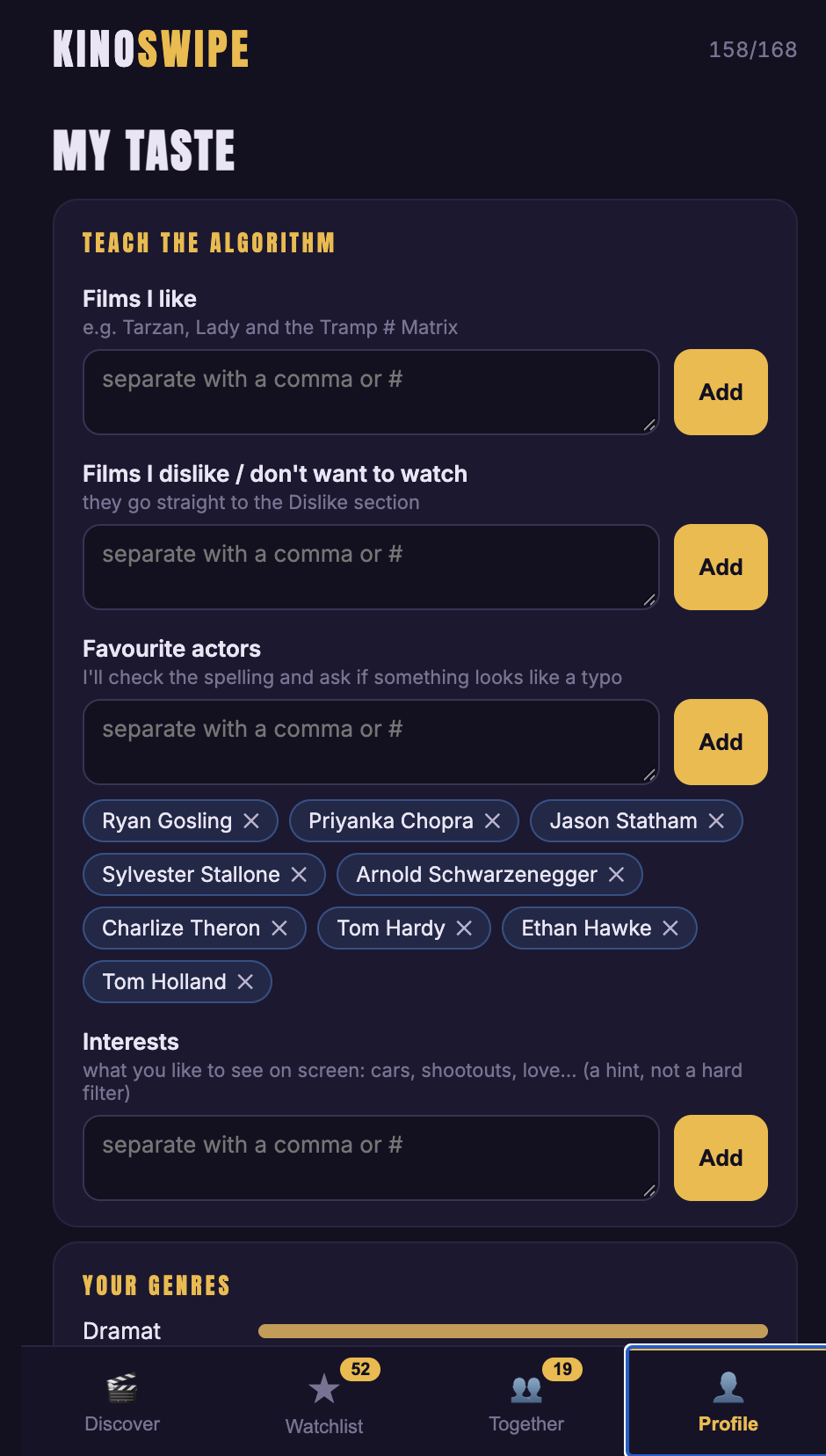
Swipes teach it quietly, and I can also teach it directly. People cannot describe taste in the abstract, so the app learns from swipes. But I wanted control too, so a My Taste screen takes films I like and dislike, favourite actors and interests.
Interests are a hint, not a filter. A hard filter hides surprises, and surprises are half the point of discovery.
Real data and AI suggestions are labelled differently. Film data comes from TMDB, and AI suggestions are tagged AI, so I can tell a catalogue fact from a guess at a glance.
The cards never run out. When the deck is empty the app fetches more films automatically. A dead end ends the session.
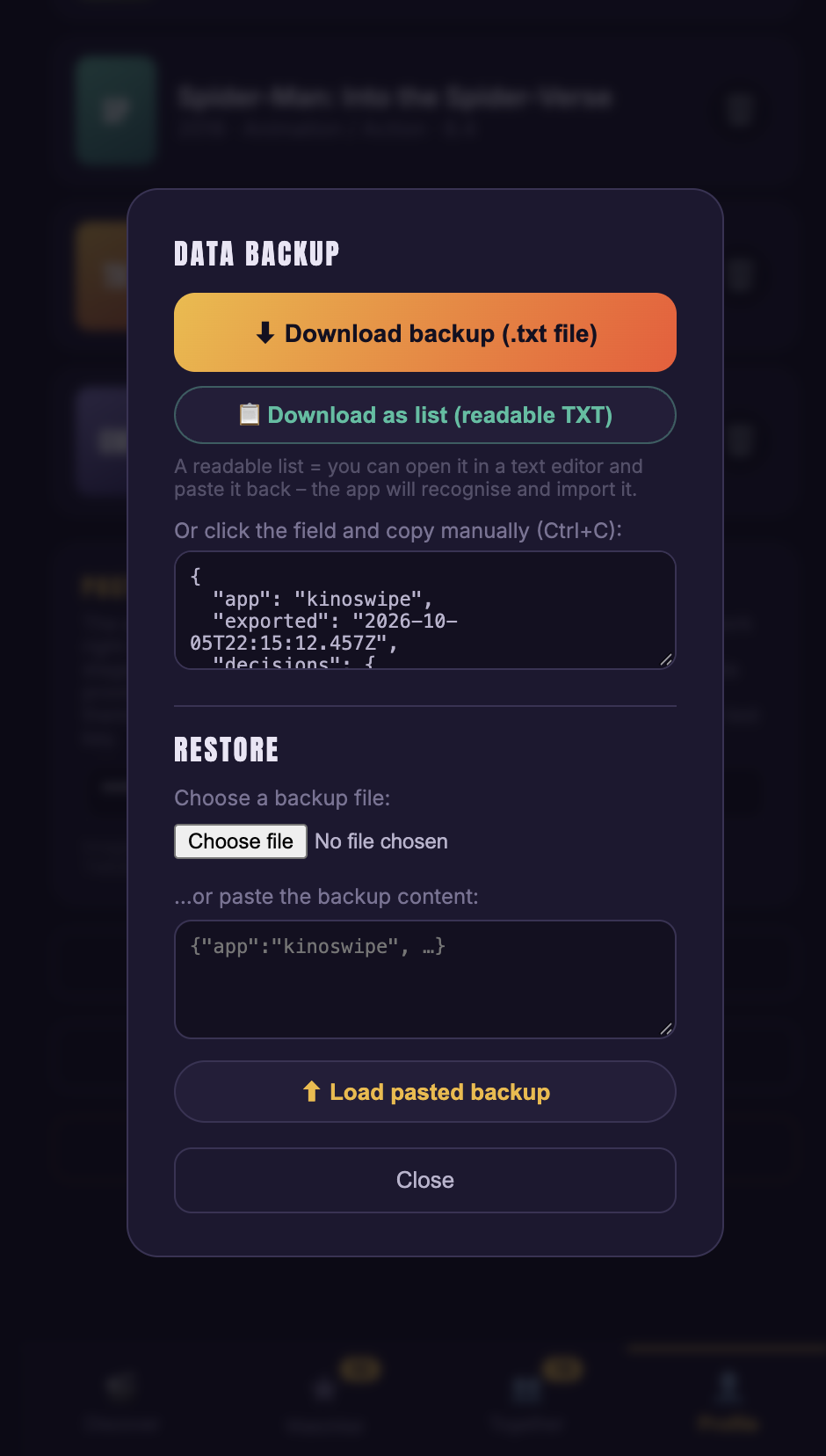
No accounts, for now. Data stays on the device, with backup and restore as a text file. No sign-up means no friction on day one and no server to pay for.
Step 3: Each screen answers one problem
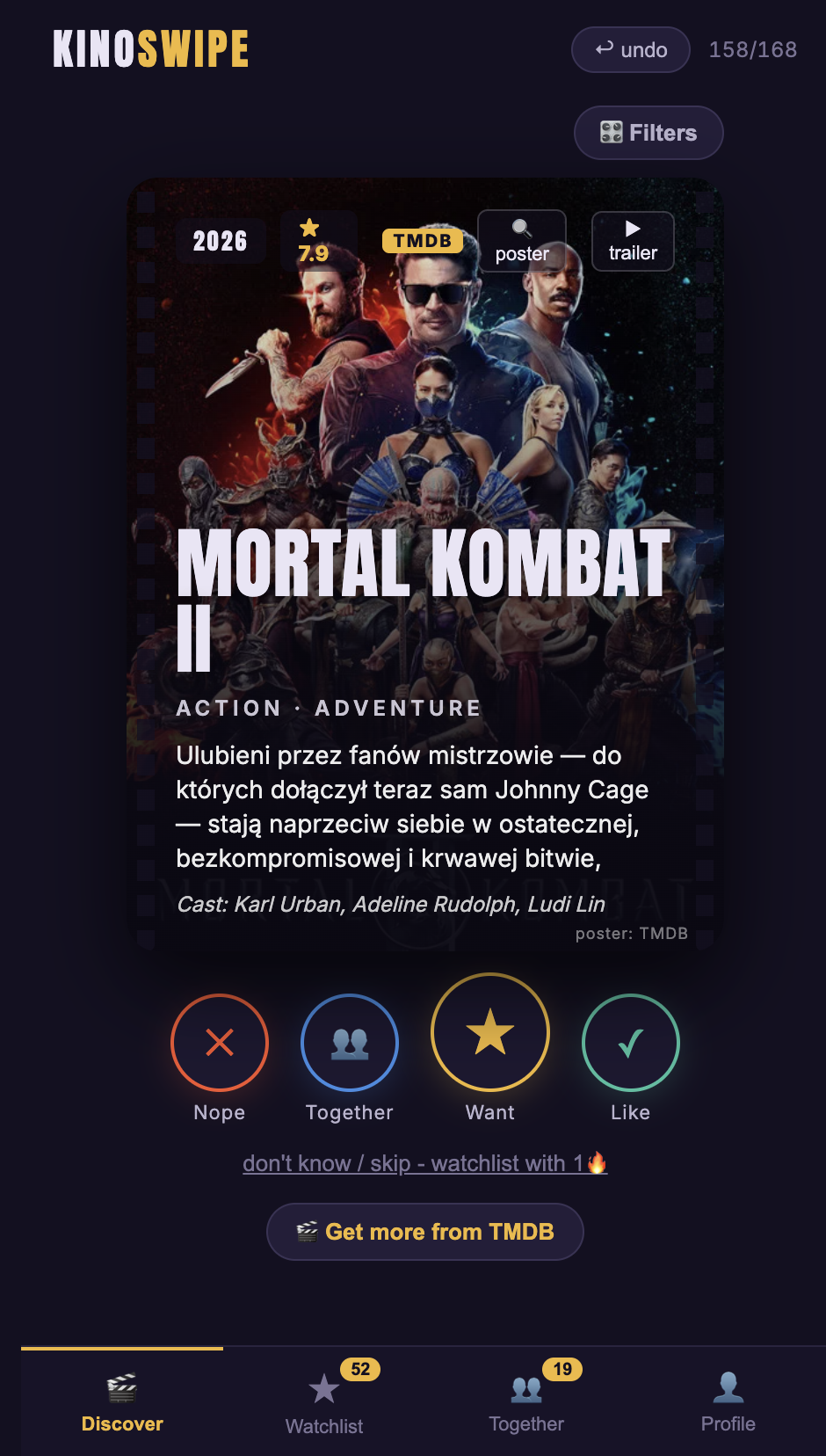
Discover
One film per screen, with year, rating, poster, trailer and four big buttons: Nope, Together, Want, Like. One decision at a time answers choice overload.
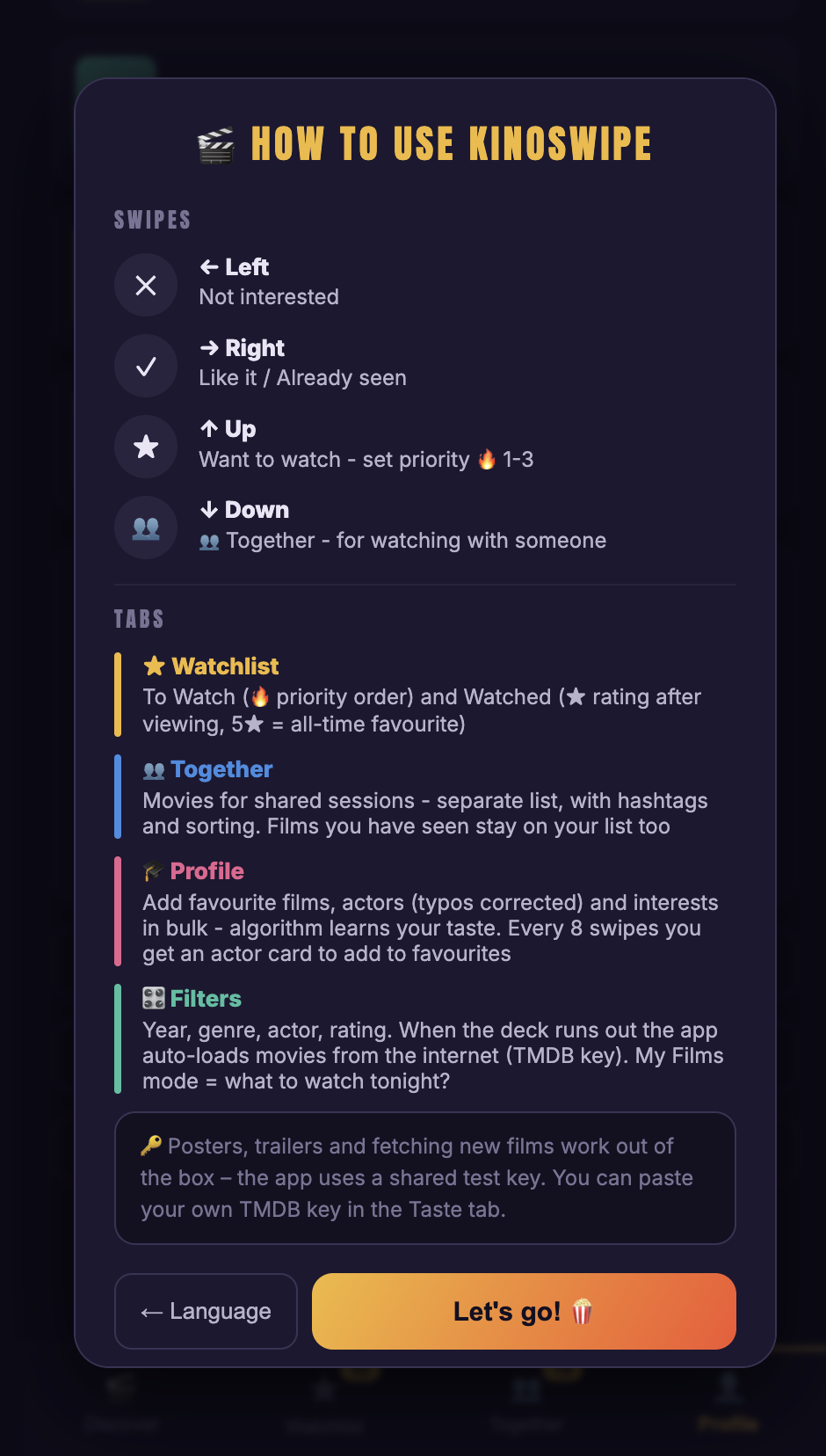
2. How to use
A short guide to the four swipes and the four tabs. A gesture-based app is only fast if nobody has to guess what a swipe does.
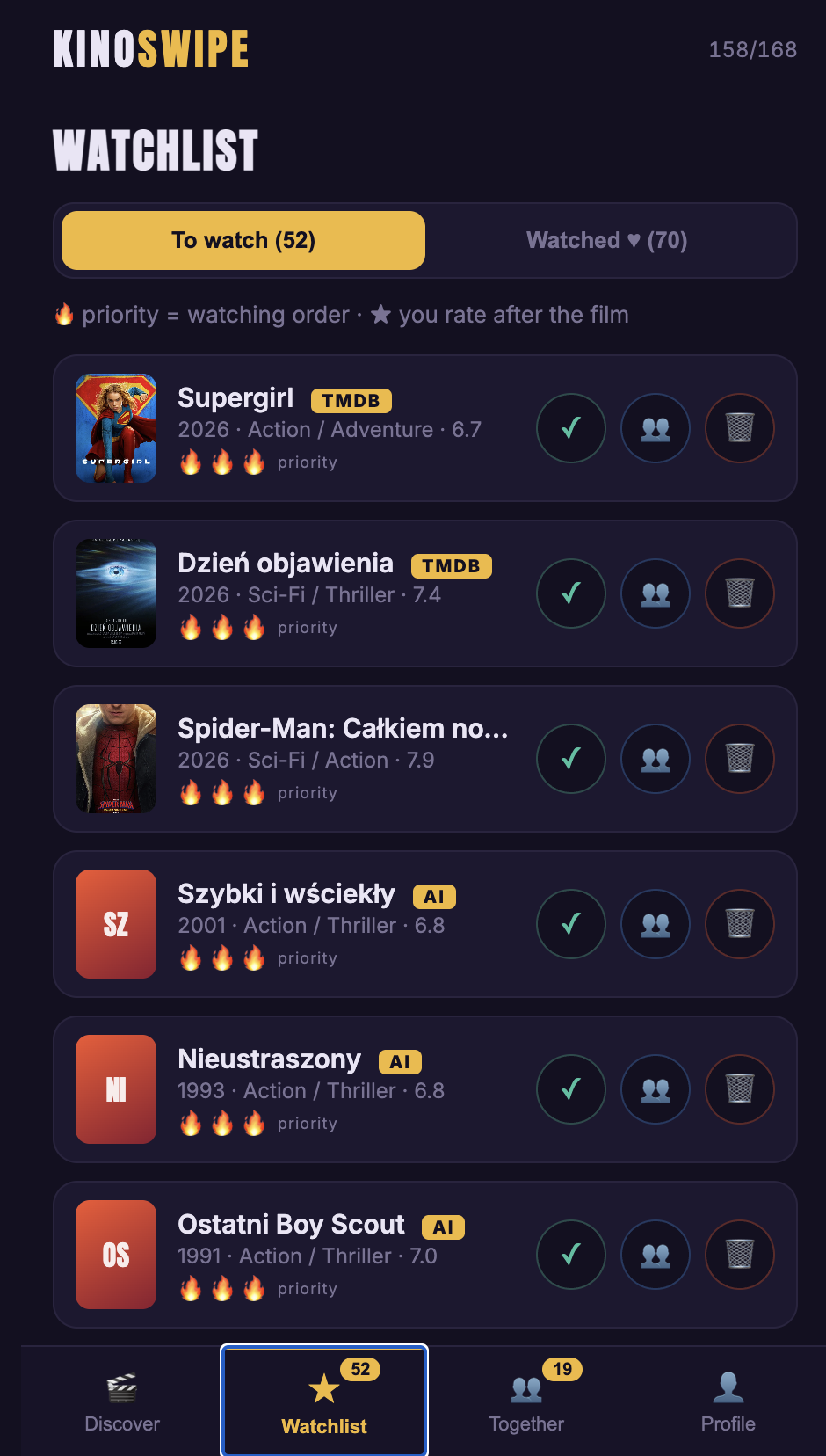
3. Watchlist
Films I want to watch, ordered by priority, plus a Watched tab where I rate a film after seeing it. Real data from TMDB is tagged TMDB, and AI suggestions are tagged AI. In my own copy that is 52 films waiting and 70 watched.
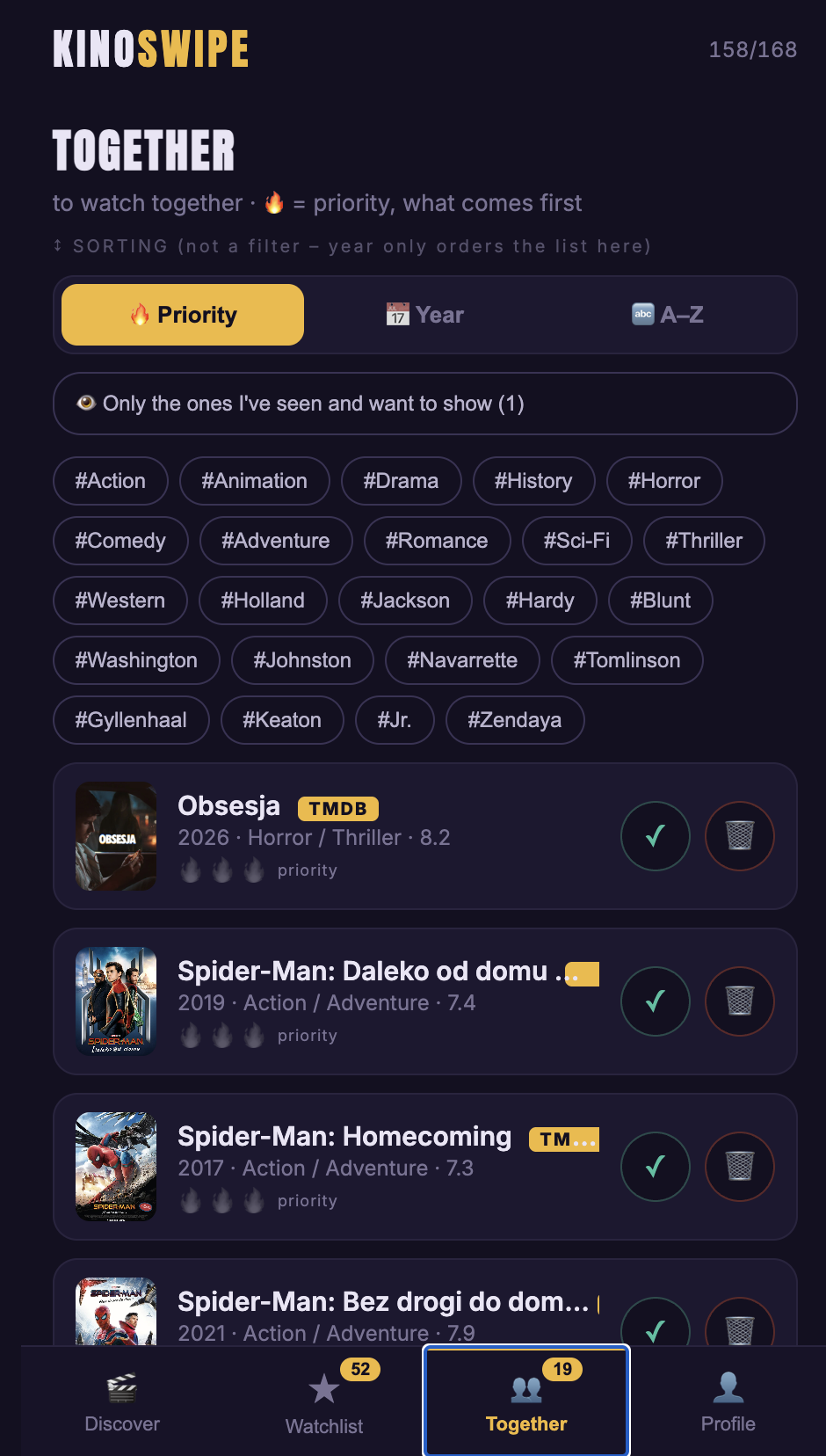
4. Together
The shared list for watching with someone, with genre and actor hashtags and sorting by priority, year or A to Z. This is where two tastes meet.
5. My Taste
Where I teach the algorithm directly: films I like and dislike, favourite actors with typo correction, and interests as a hint, not a hard filter. It answers the “I can’t describe my taste” problem from both sides.
6. Backup and restore
One tap exports everything as a file, and a readable list can be pasted back in. This is the price of having no accounts, so I made sure it costs the user nothing.
Step 4: Where vibe coding fit in
I am not a professional developer, so I vibe coded it: I described what I wanted in plain language, AI wrote the code, and I tested and corrected the result. The app is a single React file using the TMDB API, with swipe gestures and a recommendation algorithm, hosted on Cloudflare.
The skill was not prompting. It was the decisions above. AI can build almost anything you describe clearly, so the quality of the product depends on the quality of the description. My loop was simple. Build the smallest version that does one thing: show a card and swipe it. Use it on my own phone with my own films, because real use finds problems a test never will. Write down what felt wrong as a decision (“a plain yes or no loses information”), not as a complaint (“it’s boring”). Ask for one change, check it, repeat.
What comes next, and what it means for your business
The trade-off I accepted is that data lives on one device. The next step is user accounts (Supabase or Cloudflare D1) and automatic deployment through GitHub, so the Together list can sync between two phones.
You probably do not need a movie app. But the method transfers to any messy problem in a small business. Split the vague complaint into separate problems before you pick a tool. Turn every “it depends” into a written decision with a reason. Build the smallest working version and use it yourself.
At The Kind Concrete I help busy entrepreneurs do exactly this: you send a brief, and you get a tailored, ready-to-use AI solution. If a process in your business is eating time every week, get in touch and we will break it down together.